Search the Community
Showing results for tags 'help'.
-

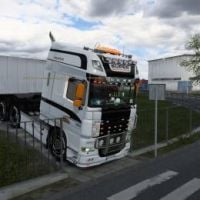
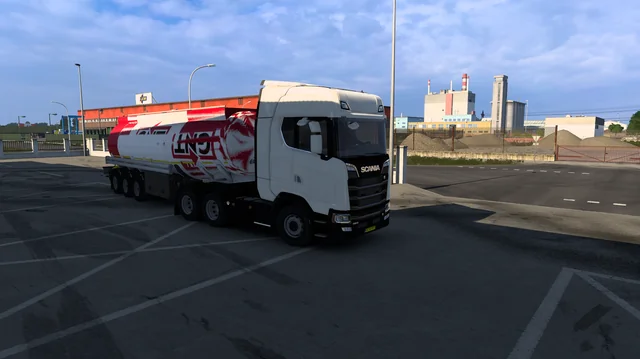
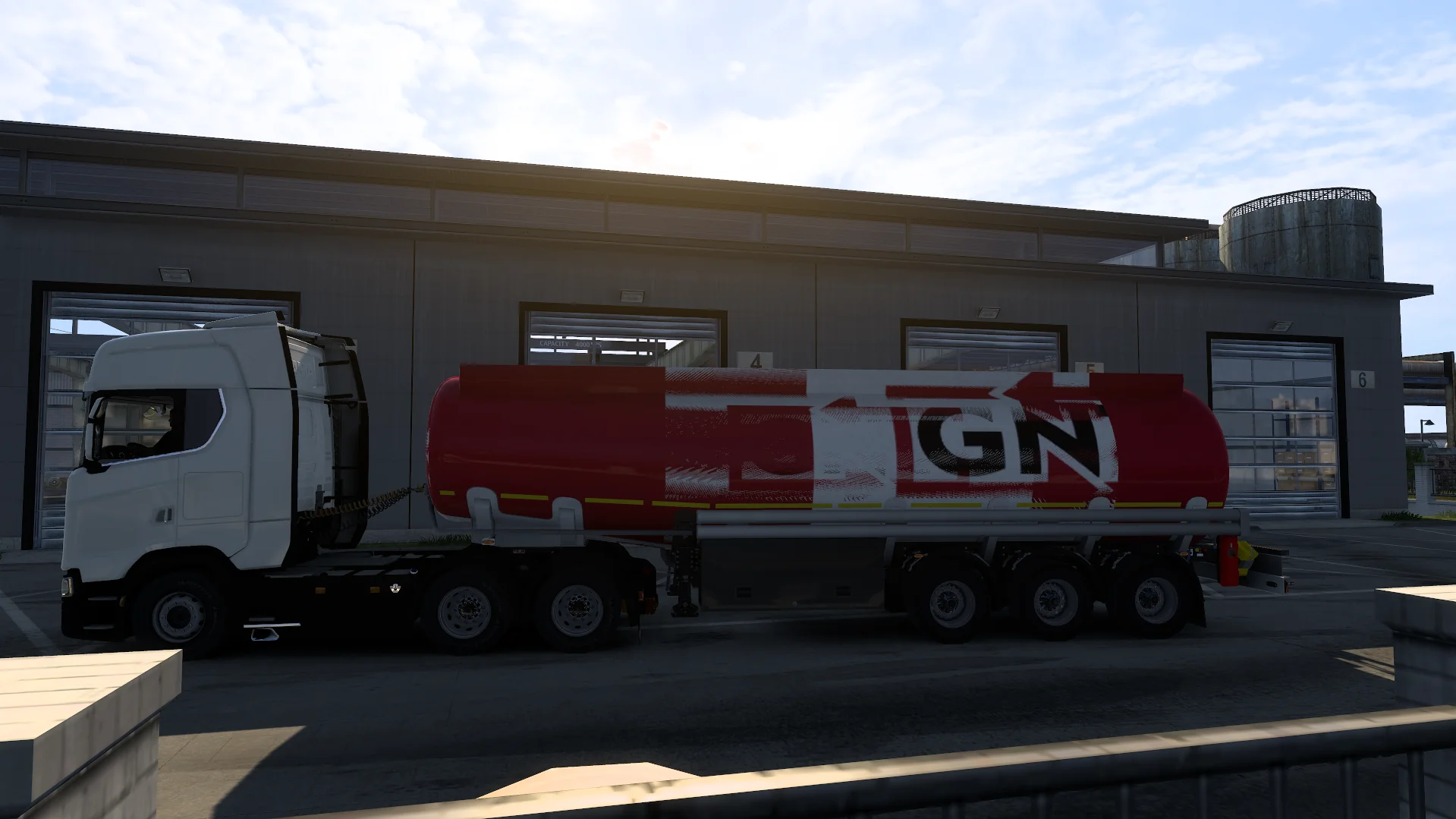
Am I allowed to use this trailer? If so, anybody know a fix?
Pigelb posted a question in Unsolved Topics
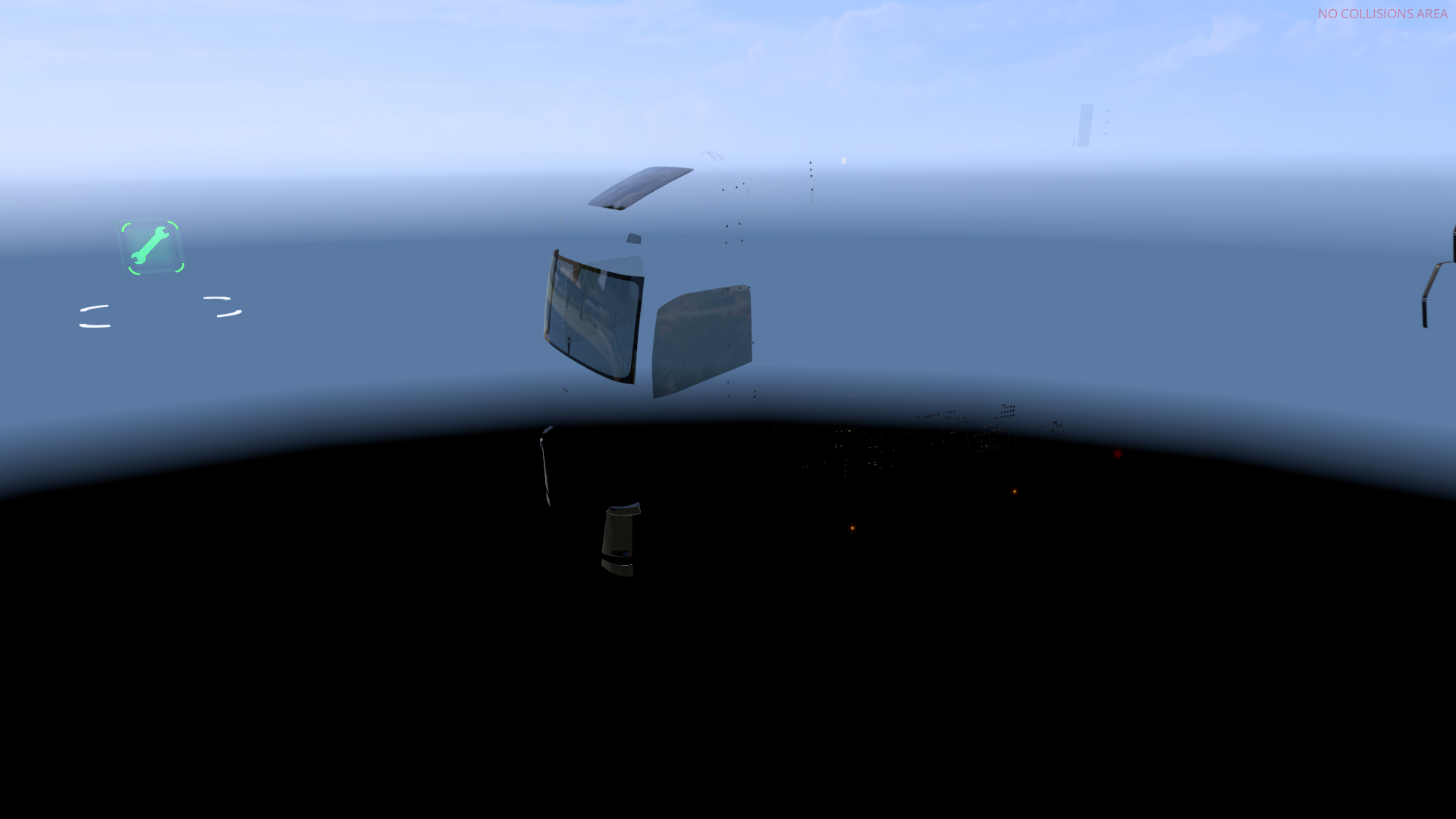
I wanted to save edit a paintjob onto my trailer through game.sii but it has this problem where two differently orientated paintjobs clash with each other. One of the paintjobs is the one I want and the other seems to be a placeholder even with the logo upside down. Does anyone know a fix to this PLEASEEE I would appreciate it so much.
-
 When you try to connect to any server, it crashes on the ets2 home screen.
 -
 Suggestion Name: ALT TABBING DOESN'T MAKE YOU LOSE ALL CONTROLS Suggestion Description: WTF AM I SUPPOSED TO SAY HERE HONESTLY, I HAVE ASD this makes no sense to me in this layout. Any example images: -_- literally not needed idk why this stupid layout idea exists it honestly makes it harder to understand as there is nothing to show since it does not exist here... Why it should be added: This is so simple but if something tabs up on your screen while driving it shows on top like an allow access out of no where it would stop some crashes happening as I have had it happen multiple times now and hit into a barrier and even people because you lose all controls to the game and its stupid, because it leads to bans that just make no sense just like my upcoming probably bans for a few days ago when I last played, when you cant control the vehicle how are you suppose to avoid a crash. this needs to be changed so controls don't die when you alt tab like other games... very simple, but not yet a thing.. somehow.
 -
I saw another player have a trailer with a bumper like the one pictured. I tried to find mods or other guides on how to get the same bumpers, but couldn't find any. I couldn't find any DLC for such bumpers either. Can you please tell me how to get them?
-
i turn truckers mp and i click to drive and idk how to fix i try reinstall tmp and ets
-

ETS CB radio not working and ATS not connecting me into a server.
craxel_01 posted a question in Solved Topics
Whenever I try to use the CB radio on ETS, It wont work. No matter what I do I tried everything. ATS doesnt load me into a server because I am apperantly not an owner of a dlc? Idk I need help Ive looked everywhere online and It does not work. also I just realized that I made this is question smh, sorry. -

Unable to play multiplayer in TruckersMP (It shows error)
BoomBack posted a question in Unsolved Topics
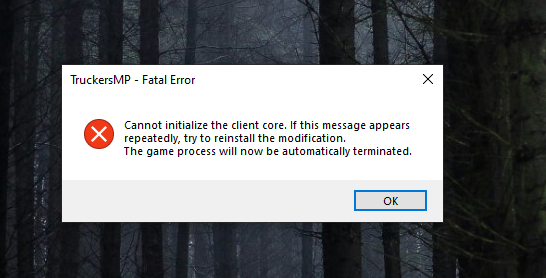
It always crashes and I'm able to start the game, I have tested the following and still unable to play or start the multiplayer: I have freshly installed ETS2 and TMP after 2022, now I have updated the required dependencies .net, directX and Visual C++ Redistributables file I have updated graphics driver I have checked both ETS2 file and TMP file integrity file verifications Uninstalled complete from root folder and reinstalled both ETS2 and TMP Run TruckersMP as Administrator folders If I try to start the game from TMP again and again it starts only the single player mode and not multiplayer. Someone kindly help me to resolve this issue and I have attached the screenshot of error dialogue box
-
I'm curious as to how this happened. It's really surprising
-
Hi, I see many players who have orange lights that blink on their trucks, and I can’t figure out how to put them on mine, do you know how to do it? Thanks
-
I just want to ask a question. When are the estimated dates for ban objections? Does it have a certain time or is it checked when it is seen?
-
Scania S BEV and Renault E TECH not available in the store
SebastianTheTrucker posted a question in Unsolved Topics
I have the DLC'S activated but I cannot find the trucks in the dealerships -
I have bought and installed the Special cargo DLC but It is not working,theres no deliveries
-
When I launch the game, the DBus World sign-in page pops up, but my cursor just moves underneath it. I can enter my details using the tab key, but I can't press the login button. I assume that I'm missing something pretty simple.
-
при заходе все нормально даже могу машину купить но только нажимаю за руль выскакивает эта ошибка и игра крашится я и лаунчер переустанавливал и сам Ets2 что делать?
-
Hi everyone, I’ve recently encountered a problem where some textures seem to be missing or not loading correctly. Certain parts of the map appear blurred or with no textures at all. I don't know why and I’m not sure how to fix it. It never happened to me before and I didn't mess with the video settings. Has anyone else experienced this issue? Any advice or suggestions would be greatly appreciated. Thanks in advance! (Not the best screenshot to show an example but I think you understand what I mean)
-
I wanna know because i got banned over a year ago, for 7 days. Now ive been banned again, for 14 days this time. My main question is, what happens to these old bans? Do they still apply to §2.8? Or do bans get deleted from the ban history after a set amount of time, like points on a drivers license for example in real life
-
 Bonjour a vous ! Vous trouverai ici un guide sur le Save Edit crée en français. Limitations et Règles Importantes Respect des règles de TruckersMP : Même avec du Save Edit, vous devez respecter les règles strictes de TruckersMP en matière de fair-play. Si une/des modification(s) cause un/des problème(s) de performance ou donne un avantage injuste, vous risquez une sanction. Mods de triches : TruckersMP autorise uniquement les mods qui n'affectent pas le gameplay ou les performances des véhicules. Si vous utilisé un mods de triche, vous serait banni 1 ans minimum, voir permanent. Donc ne tricher pas ! 1. Comprendre les Limites du Save Edit. TruckersMP ne permet pas l'utilisation de tous les types de mods, comme ceux qui donnent un avantage compétitif. Cependant, il est possible d’utiliser des mods pour personnaliser l'apparence de votre véhicule, tant que cela n'affecte pas la stabilité du jeu ou d'autres joueurs. Comprendre le fonctionnement des mods sur TruckersMP : 2. Configurer le mod en mode solo : Lancez votre jeu en mode solo (hors de TruckersMP). Accédez au garage et appliquez les modifications (peinture, accessoires, etc.) sur votre camion ou remorque. Sauvegardez votre partie. 3. Importer votre sauvegarde dans TruckersMP : Quittez le jeu solo. Lancez TruckersMP. Chargez la sauvegarde dans laquelle vous avez appliqué les modifications de mod. 4. Problèmes Fréquents et Solutions Si vous ne voyais pas vos modification : Crashs du jeu : Cela peut être causé par des mods incompatibles avec la version de TruckersMP. Vérifiez toujours les mises à jour et désactivez les mods problématiques. Bannissement : Si un mod affecte négativement d’autres joueurs ou enfreint les règles, vous pouvez être banni. Assurez vous que vos mods respectent les règles émise par TruckersMP. Il est possible que votre mod AJOUTE du contenu, il n'est donc pas compatible avec TruckersMP, hors Local Mods. Si vous êtes kick du serveur a la connexion : Il se peux que vos modification ajoute du contenu réserver au STAFF de TruckersMP ( Skin de police pour les Skoda, gyrophares, véhicule AI..) Il est aussi possible de certaines choses sois interdite par TruckersMP. Conclusion : L’utilisation de Save Edit sur TruckersMP est une manière amusante de personnaliser votre expérience de jeu tout en respectant les limitations imposées par le multijoueur. En suivant ces étapes, vous pourrez personnaliser vos véhicules sans affecter le gameplay ni enfreindre les règles de la plateforme. Veillez toujours à respecter les lignes directrices de TruckersMP pour éviter tout problème ou sanction.
 -
as title says, i have tried the steps in the attached image and they didn't work, mainly because i the folders in my documents or program files. i have also attached a video that shows what happens when i try to launch it. I have no idea how to fix it. started after i set my directory for ets2 in the settings and its been like this ever since
-
Hi there, I know when I was new it took me a while to get find this out so I hope this helps people... ------------------------------------------Key Bindings specific to multiplayer----------------------------------------------- Open Chat = 'Y' Toggle Chat = 'F9' Toggle Name Tags = 'F11' Show Nearby players list = 'Tab' Push-to-Talk = 'V' Changed to 'X' now if you have the most current version *to use the mouse whilst the tab menu is open right click* -----------------------------------------Using the Tab Menu--------------------------------------- To open or close just press the tab button. When you open the tab menu you see a list of the players that are near by. Along the bottom there is a cog, this is the setting button. You can click on here and it brings lots of options. For example here you can set your unique player tag and the colour of it. There is also lots of options that are specific to the Multiplayer function of the game. *Note Player Tags Remain across game sessions* Any changes that are made on the settings menu must be completed by you clicking the apply button then the 'Ok' Button. When setting a Player Tag you are not permitted to set it to something that implies you are a member of staff, e.g. Admin or Police etc. This may result in In-Game-Moderators taking action how they see fit. The rules say: Impersonating Administration - Ban It is forbidden to impersonate administration or act as law enforcement such as police. This includes tags, username, paintjobs, lights, etc that would indicate you are behaving as an administrator. ------------------------------Near by Players list-------------------------------------------------------------------------------- This is the main feature on the Tab menu. There is lots of information displayed on this page. From left to right the information is: ID Number specific to that gaming session (it is assigned as the number of player from the slots available on the server) | The Player's Username | The players ping | The Players distance from you | --------------------------------Functions on the Players list---------------------------------------------------------------------------- To open a players profile: simply click on their name You then have the option along the bottom of the window to either open their steam or truckers profile To Report a player: Click on their name At the bottom a button labelled 'Report' appears. Click it Select the reason and submit it. Reports must be legitimate and should not be made out of revenge. If the case is serious you may wish to take your own evidence. The Rules Say: Chat and Report Spamming - Kick / Ban Spamming the use of commands both to other users and commands as a whole or anything similar. ---------------------------------------------Using Voice Chat------------------------------------------------------------------------------------- The Multiplayer function allows players to communicate in-game using the voice chat function. This works on a push to talk basis by pressing the 'V' key. For the duration the key is pressed your voice is transmitted. This will transmit your voice onto people who are on the same CB radio frequency as you and who are near by. To change your radio frequency, in first person locate your radio stack. In trucks it is generally above your head, in cars it's on your dash board. To change the frequency look enable your mouse by pressing 'Tab' then 'Right Clicking' Click on the stack around the place where the largest knob is. It might take a few attempts. This will cycle through the available frequencies you can broadcast on. As with the in-game test chat there is rules to follow. No spamming, use of profanity or playing of music. This may result in a ban by an in-game moderator. ------------------Using Text Chat--------------------------------------------------------------------------------------------------------- To open the chat just press 'Y' Then a chat window appears on the left of your screen. Simply type and your message will be entered. Then Press 'Enter' to send your message. This message is sent to anyone Spamming in chat is against the game rules To send a Private Message (PM) Open the chat window as normal by pressing 'Y'. then type '/pm' (don't input the inverted commas) Then press 'space' and enter the ID code of the player you wish to PM. (The ID code is shown as the number above the players truck or the number on the left in the Tab Menu.) Then press space again and type your message. To send press 'Enter' If you did this process wrong then a red message is displayed. All Personal messages are in white. Example of a personal message: /pm 1234 I learnt how to do this on TruckersMP Forum Please remember that all chat messages must follow the rules set forward by the moderators, swearing at and insulting players is not tolerated, at any degree, and is a banable offence. Taking from the rules: Profanity - Kick / Ban Swearing or using any words that may be deemed inappropriate or anything similar. Insulting Users / Insulting Administration - Temporary / Permanent Ban Swearing or using any words that may be deemed inappropriate towards other users or administration or anything similar. -------------------------------------------------------------Ending------------------------------------------------------------------------------------------------------ I hope this helps all new users to get on their way towards integrating into the Multiplayer community much quicker and easier. If you have any questions or require further help, please contact me and we will see if we can get the issue resolved. Thank you, Miles For a full list of rules follow this link: http://truckersmp.com/en_US/rules
- 51 replies
-
- 14
-

-

-

-
- keys
- multiplayer
- (and 11 more)
-
Hi everyone! i have another question. my CB radio doesn't work. i can't hear someone and i can't talk. i see no microphone speaker icon in the left bottom corner. but when i press x to talk i can see the green and red lights on the radio go on. sometimes i do also see the nickname of the one thats talking. i'm on channel 19 and if i check in the tab setting i can hear my self, so i think thats well. hope anyone can helps me greetings from the Netherlands! Cas
-
 So ive been looking all around to fix these issues but none of them have worked. When I try to register euro truck sim from my steam account it just says already connected to another account even though i just bought the game yesterday. I do not have multiple accounts. Edit: Game is now crashing when i made a new profile.
 -
народ підкажіть, що робити рацію постійно включена без натискання кнопок і без значка підключення мікрофона для розмови. Нібіто схоже на те як включена функція в Discord " Активація голосом"
-
Bonjour à tous, voici un topic qui vous permettra de mieux comprendre les mods sur TruckersMP. Pour commencer, il existe 2 types de mods . 1) Les mods qui modifient le contenu déjà existant sur ETS2 Certains mods du Workshop modifient uniquement le contenu existant sur les jeux de base, comme ceux qui permettent de modifier l'enlacement de certaines choses comme les gyrophares ou les mods qui rendent les remorques triple / remorque d'entreprise achetables. 2) Les mods qui ajoutent du contenu non présent dans les jeux de base De nombreux mods utilisent leurs propres textures, modèles 3D... Ceux-ci ne sont pas pris en charge par TruckersMP. Je veux ajouter du contenu déjà existant : Pour les mods qui utilisent le contenu existant, vous devez télécharger un mod qui utilise du contenu déjà présent sur ETS2 , lancer ETS2 (Euro Truck Simulator 2 en solo) allez dans "Mods", trouvé le mod puis l'activé. Par la suite, vous pouvez fermer la page, lancer Euro Truc Simulator 2, modifier ce que vous souhaitez et lancer TruckersMP. N'oubliez pas d'enregistrer votre partit ! "On m'a dit qu'il était possible d'ajouter ce que je veux" Oui & non, dans ce cas la il s'agit de "Local Mod", comme son nom l'indique, il s'agit de contenu local (Seulement vous pouvez voir le Local Mod). Les autres joueurs ne verrons pas vos modifications. : Cependant, cette pratique peut être dangereuse pour vos sauvegardes si vous ne faites pas les bonnes manipulations, en plus, vous pouvez perdre des FPS de façon anormale. Vous pouvez perdre toute votre progression ainsi que corrompre ETS2. C'est pour cela que nous vous déconseillons ce type de pratique. Le sujet suivant explique en détails comment s'y prendre : Vous avez également du "Save Edit", c'est le même principe que les mods qui modifient le contenu existant mais avec plus de liberté. Vous pouvez créer vos propres modifications. Certains mods sont autorisés par TruckersMP ProMods : Europe, Moyen-Orient et Kazakhstan (la Grande Steppe) pour ETS2 ProMods : Canada (pour ATS ) DBUS : ETS2 Mods saisonniers de Grimes : (en ce moment, c'est l'hiver) - À la fois pour ETS2 et ATS ATTENTION ! §3 - Save Edit Provoquer des ralentissements extrêmes ou des plantages du jeu en sauvegardant les modifications. Si vous enregistrez les modifications pour créer une combinaison de remorque très longue mais que vous ne pouvez pas la gérer en toute sécurité, vous risquez d'être banni pour conduite imprudente et/ou blocage et il est recommandé de supprimer la ou les modifications en question. Il est interdit d'avoir des remorques qui s'accrochent ou qui flottent et/ou des composants essentiels manquants (roues, lumières, etc.). Si la direction de la modération du jeu estime que votre modification n'est pas adaptée à nos serveurs ou qu'elle a un impact négatif sur d'autres personnes, vous risquez d'être banni. J'espère vous avoir aidé avec ce Topic ! Mis a jours le 04/01/25 - Bonne année & bonne santé
-
How to fix that? I want to play TruckersMP but i can't load last save because appears that screen: (Version 1.49.2.23s 64bit) (I can load saves from 14.05.2024)
-
I used to be able to upload links to the photos I posted on discord, but now even if I upload them, they are invalid after 1 day. I tried from imgur, the forum does not accept the imgur link. Please help me
.jpg.164f79f759e755bbd21facb2dd32b3c9.jpg)

![[MCG] Flawzy](https://forum.truckersmp.com/uploads/monthly_2025_03/imported-photo-331618.thumb.jpeg.00807fc226b2eadb7cd23dfbaa3bf779.jpeg)